Boost Productivity & Health: The Ultimate Guide to Ergonomic Home Office Furniture
Transform your remote workspace with ergonomic home office furniture. Discover chairs, desks, and accessories for better health, comfort, and productivity.
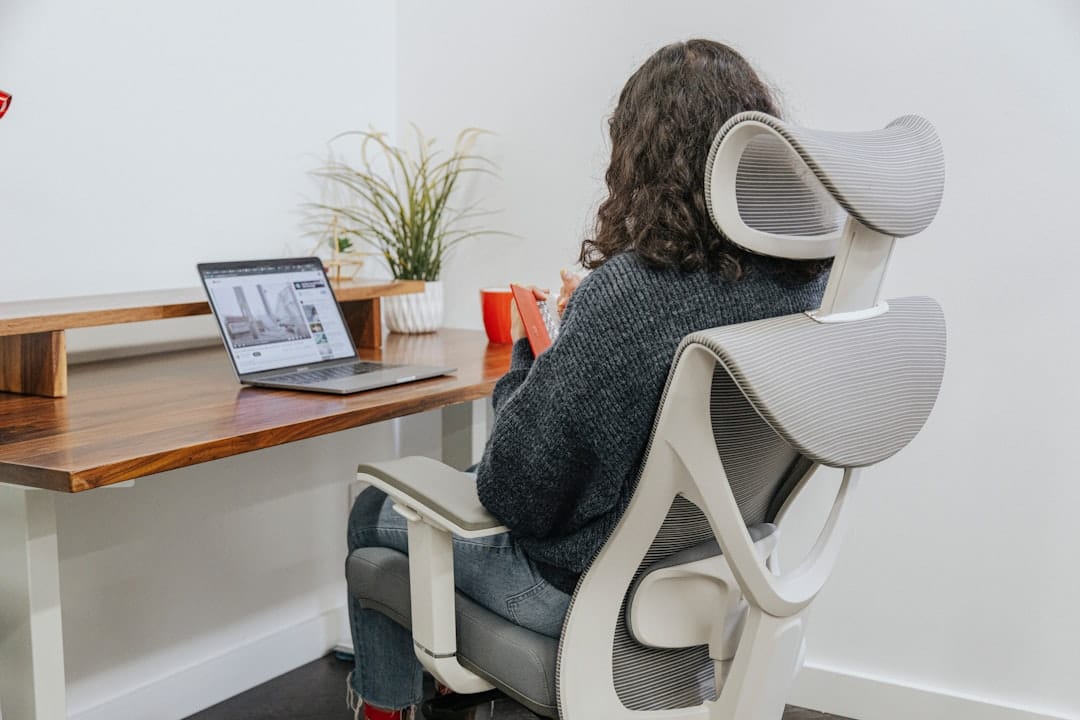
Boost Productivity & Health: The Ultimate Guide to Ergonomic Home Office Furniture
Key Takeaways (TL;DR)
Working from home offers incredible flexibility, but it often comes with the hidden cost of poor posture and discomfort. An ergonomic home office isn't a luxury; it's a necessity for long-term health and peak productivity. This guide will show you how investing in the right ergonomic furniture – from adjustable chairs and standing desks to essential accessories – can drastically reduce pain, increase focus, and transform your remote work experience. You'll learn what to look for, how to set it up, and even discover some top product recommendations to get you started. Think of it as an investment in your well-being, paying dividends in energy and output.
The Ergonomic Imperative: Why Your Home Office Needs an Upgrade
The shift to remote work, accelerated dramatically in recent years, has moved millions of workers from purpose-built office environments to makeshift home setups. While the commute vanished, so too did the carefully selected, often ergonomic, office furniture. I've heard countless stories, and experienced some myself, of friends and colleagues starting their remote journey hunched over kitchen tables or perched on dining chairs. The initial novelty quickly gives way to nagging aches: a dull throb in the lower back, persistent neck stiffness, or even the tingling numbness of carpal tunnel syndrome. These aren't just minor inconveniences; they're alarm bells signaling long-term health risks and a serious drain on productivity.

A non-ergonomic setup forces your body into unnatural positions, leading to musculoskeletal disorders over time. Imagine spending eight hours a day, five days a week, in a posture that actively works against your body's natural alignment. It’s a recipe for chronic pain, reduced concentration, and ultimately, burnout. The good news? You don't have to live with it. A thoughtful investment in ergonomic home office furniture can turn your workspace into a haven of comfort and efficiency, safeguarding your health and supercharging your work.
Understanding Ergonomics: Beyond Just 'Comfortable'
The word "ergonomics" gets thrown around a lot, often synonymous with "comfortable." But true ergonomics goes far beyond a plush seat. At its core, ergonomics is the science of designing and arranging workplaces so that people and things interact most efficiently and safely. In the context of office furniture, it means fitting the workspace to the user, rather than forcing the user to adapt to the workspace. This is a critical distinction.
Key ergonomic principles revolve around maintaining a neutral posture. This isn't a rigid, military-style stance, but rather a relaxed, natural alignment where your joints are not excessively bent and your muscles are not strained. Think of it as your body's happy place. Achieving this involves several factors:
- Adjustability: The ability to fine-tune every component – chair height, back support, desk height, monitor angle – to perfectly match your unique body dimensions.
- Support: Providing adequate support to maintain the natural curves of your spine, especially the lumbar region.
- Reach: Keeping frequently used items within an easy, comfortable reach to minimize stretching and strain.
- Movement: Encouraging subtle shifts in posture and regular movement, rather than locking you into one position.
When your workspace is truly ergonomic, your body expends less energy fighting gravity or compensating for poor design, freeing up that energy for focused work. It's about optimizing the human-machine interface for sustained performance and health.
The Pillars of an Ergonomic Home Office
Building an ergonomic home office isn't about buying the most expensive gear; it's about selecting components that work together to support your body. Let's break down the essentials.
Ergonomic Office Chairs: Your Foundation for Support
If there's one piece of furniture where you absolutely should not compromise, it's your office chair. This is where you'll spend the majority of your working day, and a good ergonomic chair is the cornerstone of a healthy posture. It's not just about sitting; it's about dynamic support that adapts to your movements.
Key features to look for in an ergonomic chair include:
- Lumbar Support: Crucial for maintaining the natural inward curve of your lower back. Look for adjustable lumbar support – both height and depth – to fit your specific spinal curve. Some premium chairs, like the Herman Miller Aeron, even offer PostureFit SL, which provides sacral and lumbar support.
- Seat Depth Adjustment: Allows you to slide the seat pan forward or backward, ensuring there's a 2-4 inch gap between the edge of the seat and the back of your knees. This prevents pressure on your circulation.
- Seat Height Adjustment: Your feet should be flat on the floor (or a footrest) with your knees at roughly a 90-degree angle, or slightly open. Gas lift mechanisms are standard here.
- Armrest Adjustability: Often overlooked, but vital. Armrests should adjust in height, depth (forward/backward), and pivot (in/out) to support your forearms while typing, keeping your shoulders relaxed and elbows at a 90-degree angle. 3D or 4D armrests are excellent.
- Tilt Mechanisms:
- Synchronous Tilt: The backrest and seat tilt together in a fixed ratio, opening up your hip angle.
- Multi-tilt/Knee Tilt: Allows the seat and back to tilt independently or together, with the pivot point closer to the front of the seat, keeping your feet on the floor.
- Tilt Tension Control: Adjusts the resistance of the recline, allowing you to lean back comfortably without feeling like you'll fall over.
- Material: Breathable mesh (like on the Steelcase Gesture or Haworth Zody) is fantastic for ventilation and conforming to your body. High-quality fabric or leather can also be comfortable, but ensure good padding.
Beyond the standard task chair, you might encounter active seating options like balance balls or wobble stools. These can be great for short periods to engage core muscles and promote movement, but they generally aren't suitable for all-day primary seating due to their lack of back support.
Finding Your Perfect Perch: What to Look For in an Ergonomic Chair
Choosing an ergonomic chair is a deeply personal journey. What works wonders for one person might feel completely wrong for another. Here's my advice:
- Try Before You Buy (If Possible): Visit a showroom if you can. Sit in the chair for at least 15-20 minutes. Adjust everything. Mimic your typical work posture.
- Understand Your Body Type: Are you tall, short, slender, or broad? Some chairs are designed for a wider range of body types (e.g., the Steelcase Gesture), while others come in different sizes (like the Herman Miller Aeron A, B, C sizes). Check weight capacities and recommended height ranges.
- Consider Your Budget: Ergonomic chairs range from a few hundred dollars to well over a thousand. While a higher price often correlates with better adjustability, durability, and materials, there are fantastic mid-range options. Don't think you need to spend $1500 to get a good chair, but be wary of anything under $200 claiming to be "fully ergonomic." For example, I recently helped a friend pick out an ErgoChair Pro (around $500) which offered excellent adjustability for its price point.
- Read Reviews & Watch Videos: Look for in-depth reviews that discuss long-term comfort and specific features.
Standing Desks & Converters: The Movement Revolution
The "sitting is the new smoking" adage might be a bit dramatic, but there's no denying the health risks associated with prolonged sedentary behavior. Standing desks offer a powerful solution by allowing you to easily alternate between sitting and standing throughout your workday. This simple act of movement can significantly improve circulation, reduce back pain, boost energy levels, and even enhance focus.
Types of standing desks:
- Electric Standing Desks: These are the gold standard. With the push of a button, a motor smoothly raises or lowers the desk to your pre-set heights. Many offer memory presets, which are incredibly convenient for switching between your perfect sit and stand positions. Brands like Fully (now Uplift Desk), Jarvis, and Flexispot are popular choices.
- Manual Standing Desks: Operated by a hand crank, these are more budget-friendly but less convenient for frequent adjustments.
- Desktop Converters: If replacing your entire desk isn't an option, a standing desk converter sits on top of your existing desk. They range from simple spring-loaded platforms (like Varidesk) to more robust, gas-spring assisted models. While they offer the benefit of standing, they can sometimes make your workspace feel a bit cluttered and may not offer the same stability as a full standing desk.
How to use them effectively: The goal isn't to stand all day. The magic lies in the movement. A good rule of thumb, based on various studies, is to aim for a 20-30 minute sit-stand ratio, or even 15 minutes standing for every 45 minutes sitting. Listen to your body; if you feel fatigued, sit down. If you're feeling sluggish, stand up. The key is frequent transitions.
Ergonomic Desks: More Than Just a Surface
Even if you're not going for a standing desk, the right ergonomic desk is vital. Its primary role is to provide ample, stable workspace at an appropriate height. Your desk height should allow your forearms to be parallel to the floor when your chair is adjusted correctly and your feet are flat. If your desk is too high and non-adjustable, you'll find yourself shrugging your shoulders, leading to neck and shoulder tension.
- Height: Ideally, look for a desk with adjustable legs, even if it's not a standing desk. This allows you to fine-tune it to your specific chair and body height.
- Depth: Ensure enough depth (at least 24-30 inches) to position your monitor at an arm's length away, and still have space for your keyboard, mouse, and other essentials without feeling cramped.
- Ample Workspace: A spacious surface prevents clutter and allows for proper placement of all your peripherals.
- Cable Management: While often an afterthought, good cable management isn't just about aesthetics; it's ergonomic. Tangled cables can restrict movement, create trip hazards, and prevent proper equipment placement. Integrated cable trays or grommets are a big plus.
Essential Ergonomic Accessories for Optimal Setup
Once you have your core furniture, these accessories complete the ergonomic picture, fine-tuning your setup for maximum comfort and health.

Monitor Arms & Risers: Eye-Level Comfort
Correct monitor placement is absolutely critical for preventing neck and eye strain. The top of your monitor screen should be roughly at eye level, and the screen itself should be about an arm's length away. Without proper elevation, most people end up craning their necks downwards, leading to "tech neck."
- Monitor Arms: These clamp to your desk and allow you to float your monitor(s) above the surface. They offer incredible flexibility for height, tilt, swivel, and rotation. Single monitor arms are great for decluttering, while dual monitor arms are essential for multi-screen setups. I personally use a Vivo dual monitor arm, and it made an immediate difference in my neck posture.
- Monitor Risers: A simpler, more affordable option. These are elevated platforms that sit on your desk. While less adjustable than arms, they effectively raise your screen to the correct height.
Beyond posture, monitor arms free up valuable desk real estate, making your workspace feel more open and organized.
Ergonomic Keyboards & Mice: Protecting Your Wrists
For those who spend hours typing and clicking, an ergonomic keyboard and mouse are non-negotiable for preventing repetitive strain injuries (RSIs) like carpal tunnel syndrome or tendonitis.
- Ergonomic Keyboards:
- Split Keyboards: These separate the keyboard into two halves, allowing your hands to rest at a more natural, shoulder-width angle, reducing ulnar deviation (bending wrists outwards).
- Tent Keyboards: Often combined with split designs, these angle the keyboard upwards in the middle, reducing pronation (palms facing down) and allowing a more natural handshake-like wrist position.
- Low Profile: Keyboards with flatter keys require less finger travel, reducing strain.
- Ergonomic Mice:
- Vertical Mice: Designed to keep your wrist in a neutral, handshake-like position, eliminating forearm pronation.
- Trackball Mice: You move a ball with your thumb or fingers instead of moving the entire mouse, reducing wrist and arm movement. Great for limited desk space or specific wrist issues.
- Central Pointing Devices: Positioned directly in front of you, between your keyboard and body, these eliminate reaching to the side, balancing the load between both hands.
The goal is to maintain a neutral wrist posture – straight, not bent up, down, or to the side. Your mouse and keyboard should be close enough that your elbows remain at your sides, not reaching out.
Footrests: Grounding Your Posture
A footrest might seem like a minor detail, but it plays a crucial role, especially for shorter individuals or those whose chairs don't go low enough for their feet to be flat on the floor. An ergonomic footrest ensures your feet are fully supported, preventing dangling legs that can cut off circulation and strain your lower back.
- Adjustable Height & Angle: Look for footrests that allow you to adjust both the height and the tilt angle to find your sweet spot.
- Textured Surface: A textured surface can help prevent your feet from sliding and can offer a subtle massage.
Proper foot support helps maintain the correct hip and knee angles (around 90-100 degrees), which in turn supports your lower back.
Seat Cushions & Back Supports: Targeted Relief
Sometimes, even a good chair might need a little extra help, or you might be trying to improve a less-than-perfect existing chair. This is where supplemental cushions come in.
- Memory Foam Seat Cushions: These can distribute pressure more evenly, relieving discomfort on your tailbone (coccyx) and hips. They're great for adding comfort to firm chairs or for individuals with specific pressure point sensitivities.
- Lumbar Rolls/Back Supports: These are designed to fill the natural curve of your lower back, providing targeted support. They can be particularly useful if your chair's built-in lumbar support isn't quite right for you. I've used a simple D-roll pillow for years to augment my car seat's lumbar support, for instance.
Remember, these are generally supplementary. They can improve a chair, but they usually won't transform a truly non-ergonomic chair into a fully ergonomic one.
Lighting & Environment: Beyond the Furniture
While not strictly "furniture," environmental factors significantly impact ergonomics and overall well-being. Good lighting reduces eye strain and headaches. Aim for natural light where possible, but supplement with adjustable task lighting that illuminates your workspace without causing glare on your screen. Position your monitor to avoid direct light sources reflecting off the screen. Beyond lighting, consider temperature control, noise levels, and even air quality – a comfortable environment is an ergonomic environment.
Curated Picks: Top Ergonomic Home Office Furniture Recommendations
Amazon Associates — See latest price on Amazon
Finding the right gear can feel overwhelming, so I've put together some recommendations based on extensive research and personal experience. Prices are approximate and can fluctuate.
Ergonomic Chairs:
- Premium Pick (The Gold Standard): Herman Miller Aeron (approx. $1,200-$1,800)
- Why it's great: Iconic design, exceptional adjustability (including PostureFit SL lumbar support), breathable Pellicle mesh, comes in three sizes for a perfect fit, 12-year warranty. It truly molds to your body.
- Target User: Those seeking the absolute best, willing to invest for decades of comfort and support.
- Mid-Range Marvel (Excellent Value): Steelcase Series 1 (approx. $500-$700)
- Why it's great: Fantastic adjustability for its price, including dynamic lumbar support, 4D armrests, and a flexible backrest. It's a compact chair that fits well in home offices.
- Target User: Remote workers needing a highly adjustable, comfortable chair without breaking the bank.
- Best Value (Solid Entry-Level): ErgoChair Pro (from Autonomous, approx. $400-$600)
- Why it's great: Offers a surprising amount of adjustability for its price point, including headrest, lumbar, armrests, and multiple tilt functions. Mesh back is breathable.
- Target User: Budget-conscious individuals who still prioritize comprehensive ergonomic features.
Standing Desks:
- Premium Pick (Robust & Feature-Rich): Uplift V2 Standing Desk (approx. $700-$1,500 depending on size/top)
- Why it's great: Extremely stable, smooth dual-motor operation, wide range of desktop materials and sizes, excellent customer service, and a huge array of integrated accessories (cable management, desk mats, etc.). I've used an Uplift desk for over 3 years, and it's been flawless.
- Target User: Anyone wanting a high-quality, durable standing desk with extensive customization options.
- Mid-Range (Reliable & Popular): Flexispot E7 Standing Desk (approx. $400-$800)
- Why it's great: Good value, stable frame, smooth operation, and often comes with useful features like child lock and collision detection.
- Target User: Those looking for a reliable, well-regarded standing desk without the premium price tag.
Essential Accessories:
- Monitor Arm: Vivo Dual Monitor Desk Mount (approx. $30-$50)
- Why it's great: Affordable, sturdy, and offers full articulation for two monitors up to 27 inches. Easy to install.
- Ergonomic Keyboard: Logitech Ergo K860 Wireless Split Keyboard (approx. $100-$130)
- Why it's great: Excellent split and tented design for natural wrist posture, integrated wrist rest, comfortable typing experience.
- Ergonomic Mouse: Logitech MX Vertical Ergonomic Mouse (approx. $80-$100)
- Why it's great: Promotes a natural handshake grip, reduces forearm strain, rechargeable, and offers precise tracking.
- Footrest: Kensington SoleSaver Footrest (approx. $30-$50)
- Why it's great: Simple, adjustable tilt, and a textured surface. A classic for a reason.
Building Your Ergonomic Home Office: A Step-by-Step Guide
Don't feel overwhelmed. You don't need to buy everything at once. Approach it systematically.

Assessing Your Current Setup: What Needs Improvement?
Before you buy anything, take an honest look at your current workspace. Grab a pen and paper, or even take photos. Ask yourself:
- Where do I feel pain or discomfort at the end of the day (neck, shoulders, back, wrists)?
- Are my feet flat on the floor?
- Are my elbows at roughly a 90-degree angle when typing?
- Is the top of my monitor screen at eye level?
- Am I reaching excessively for my mouse or keyboard?
- Do I feel hunched over, or are my shoulders shrugged?
- Is my chair supportive, or do I slouch into it?
This self-assessment will highlight your biggest pain points and guide your investment priorities.
Prioritizing Your Investment: Where to Spend First
If budget is a concern (and for most of us, it is), here's a sensible order of investment:
- Ergonomic Chair: This is the single most impactful item. A good chair provides foundational support.
- Monitor Arm/Riser: Getting your screen to the correct height immediately alleviates neck strain. It's often an affordable upgrade.
- Standing Desk (or Converter): If you're experiencing back pain from prolonged sitting, this should be high on your list after the chair.
- Ergonomic Keyboard & Mouse: Essential for heavy typists or those with wrist/forearm issues.
- Footrest & Other Accessories: These fine-tune your setup and address specific needs.
Remember, it's an ongoing process. You can always add components as your budget allows and your needs evolve.
The Ergonomic Checklist: Fine-Tuning Your Workspace
Once you have your ergonomic gear, proper adjustment is key. Use this checklist:
- Chair Height: Feet flat on the floor (or footrest), knees at 90-100 degrees.
- Backrest: Lumbar support fits the natural curve of your lower back. Recline slightly (100-110 degrees) to reduce spinal pressure.
- Armrests: Adjust so your forearms are supported, shoulders relaxed, elbows at 90 degrees, and wrists straight when typing.
- Monitor Position: Top of the screen at eye level, about an arm's length away. Center the monitor directly in front of you (or primary monitor if using dual).
- Keyboard & Mouse: Close to your body, wrists straight and neutral. Avoid resting your wrists directly on the desk or a hard wrist rest while typing/mousing.
- Desk Height: If adjustable, set it so your forearms are parallel to the floor when typing, with relaxed shoulders.
- Lighting: Adequate, glare-free lighting for your workspace.
Take five minutes at the start of each day to do a quick check and adjustment. Your body will thank you.
Beyond the Furniture: Ergonomic Habits for Remote Workers
Even with the most expensive, perfectly adjusted ergonomic setup, static posture for hours on end is detrimental. Ergonomics is a combination of good tools and good habits.
Regular Breaks & Movement: The Power of Micro-Breaks
The human body isn't designed to be sedentary for eight hours straight. Regular movement is crucial. Aim for:
- Every 30-60 minutes: Stand up, stretch, walk to get water, or just shift your weight.
- Every 2-3 hours: Take a longer break (5-10 minutes) to walk around, do some light stretches, or step away from the screen entirely.
Set a timer on your phone or use a dedicated app like "Stretchly" to remind you. These micro-breaks aren't a distraction; they're a productivity booster, refreshing your mind and body.
Stretching Exercises for Desk Workers
Simple stretches can work wonders. Here are a few you can do at your desk:
- Neck Tilts: Gently drop your ear towards your shoulder, hold for 15-20 seconds each side.
- Shoulder Rolls: Roll your shoulders forward and backward in circles.
- Chest Stretch: Clasp your hands behind your back, gently lift them to open your chest.
- Wrist Flexor Stretch: Extend one arm straight out, palm up. Use your other hand to gently pull your fingers down towards the floor.
- Spinal Twist: While seated, gently twist your torso to one side, holding onto the back of your chair.
Consistency is key. A few minutes of stretching multiple times a day is far more effective than one long session.
Ergonomic Home Office Furniture Comparison Table
Monday.com — Try Monday.com free — no credit card needed
| Product | Price Range | Key Features | Adjustability | Target User |
|---|---|---|---|---|
| Herman Miller Aeron (Chair) | $1,200 - $1,800 | Pellicle mesh, PostureFit SL, Harmonic Tilt | Seat height/depth, lumbar (height/depth), armrests (height/pivot/depth), tilt tension/limiter | Premium buyers, long-term investment, all body types (3 sizes) |
| Steelcase Series 1 (Chair) | $500 - $700 | LiveBack flex, integrated lumbar, 4D armrests | Seat height/depth, lumbar (flex), armrests (height/pivot/depth/width), tilt tension/lock | Mid-range budget, compact spaces, comprehensive features |
| Uplift V2 Standing Desk | $700 - $1,500+ | Dual motor, 355lb capacity, 15-year warranty, vast accessory ecosystem | Height adjustable (25.3" to 50.9"), memory presets | Serious remote workers, heavy setups, seeking long-term durability & stability |
| Flexispot E7 Standing Desk | $400 - $800 | Dual motor, 275lb capacity, anti-collision system | Height adjustable (22.8" to 48.4"), memory presets | Value-conscious buyers, good stability, essential standing desk features |
| Logitech Ergo K860 (Keyboard) | $100 - $130 | Split & tented design, integrated wrist rest, wireless | Fixed split/tent, adjustable tilt legs | Typists prone to wrist pain, seeking neutral wrist posture |
Frequently Asked Questions About Ergonomic Home Office Furniture
Q: How much should I expect to spend on a good ergonomic chair?
A: A truly good ergonomic chair, with robust adjustability and durable components, typically starts around $400-$500. Mid-range options are often in the $600-$900 range, while premium chairs from brands like Herman Miller or Steelcase can cost $1,200 or more. You can find decent chairs for less, but they usually compromise on adjustability, material quality, or longevity. Think of it as an investment in your health; the cost per year of ownership can be quite low over a decade or more.
Q: Can I turn my existing desk into an ergonomic one?
A: Absolutely! If a full standing desk isn't in the cards, a standing desk converter is an excellent way to add sit-stand functionality to your existing desk. Additionally, monitor arms or risers can elevate your screen, and an ergonomic keyboard and mouse can drastically improve your typing and mousing posture. These accessories can significantly upgrade a basic desk setup.
Q: What's the ideal sit-stand ratio for a standing desk?
A: There's no single "ideal" ratio, as it depends on your body and comfort. However, common recommendations suggest alternating frequently. A good starting point is 20-30 minutes sitting for every 8-10 minutes standing. Some people prefer 45 minutes sitting, 15 minutes standing. The key is to avoid prolonged static positions. Listen to your body and adjust as needed – if you feel fatigued standing, sit down; if you feel sluggish sitting, stand up.
Q: Is an ergonomic keyboard really necessary?
A: For anyone who spends several hours a day typing, an ergonomic keyboard is highly recommended. Standard keyboards often force your wrists into unnatural angles, leading to repetitive strain injuries (RSIs) like carpal tunnel syndrome over time. Split and tented ergonomic keyboards promote a more natural wrist and hand position, significantly reducing strain and preventing long-term issues. It's a proactive measure, especially for heavy typists.
Q: How do I know if my current setup is ergonomic?
A: Perform a quick self-assessment:
- Are your feet flat on the floor or a footrest?
- Are your knees at a 90-100 degree angle?
- Are your elbows at approximately a 90-degree angle, close to your body?
- Are your wrists straight and neutral when typing or mousing?
- Is the top of your monitor screen roughly at eye level, and an arm's length away?
- Are your shoulders relaxed, not shrugged?
- Is your lower back supported, maintaining its natural curve?
Q: Are gaming chairs considered ergonomic?
A: While many gaming chairs are marketed with "ergonomic" features and often have aggressive lumbar and neck pillows, they are generally not considered truly ergonomic for prolonged office work. Gaming chairs are often designed for a more reclined, casual posture and can sometimes over-emphasize specific support points rather than providing dynamic, adjustable support for a neutral working posture. Their bucket seats and fixed armrests can also be restrictive. Dedicated ergonomic office chairs typically offer superior adjustability, support, and pressure distribution for an 8+ hour workday.
Conclusion: Invest in Your Health, Boost Your Productivity
The remote work revolution has brought unparalleled freedom, but it also demands a conscious effort to protect our physical well-being. Investing in ergonomic home office furniture isn't an indulgence; it's a strategic move that pays dividends in comfort, sustained health, and dramatically improved productivity. From the foundational support of a quality ergonomic chair to the dynamic versatility of a standing desk and the precision offered by ergonomic accessories, each piece plays a vital role in creating a workspace that works for you.
Stop enduring discomfort. Start building a workspace that empowers you to do your best work, day after day, year after year. Your body, your mind, and your career will thank you for making the ergonomic imperative a priority.